A cozy corner of the internet for plushie & fursuit lovers. Not sure where to start?
Here's everything you need to know. Grab a cup of tea or coffee and let's go!
💡 Find your way back here via "Guide" in the footer
🧭 Click any category below to navigate straight to the part.
→→→→→→→→→
How PlushiesPlush.space works in a Nutshell
The basic structure everything else builds on.
🧩 The building blocks
Your User profile is the base, everything you make links back to it.
On it you hang an OC profile and set it as your main, and on
that main OC you hang your main OC Plush profile (the physical plushie of that
character). That's the primary chain most people start with:
Separately, alongside your OC profiles, there's a Non-OC section: for
canon characters or store-bought plushies that aren't your own creation. Those get their
own Non-OC profiles, with Non-OC Plush profiles hanging
off of those instead:
You can have more than one OC, more than one Non-OC profile, and more than one plush
under each, this is just the shape the site is built around. The glossary below covers
everything else.
🙋 Don't have an OC? That's fine too!
Neither OCs nor plushies are required. A User profile works perfectly fine on
its own, for example if you're purely a plush maker who wants a gallery of
your work, or just a plush lover who's here to browse, favorite, and comment
without owning or making anything yourself. You can always add an OC or plush profile later
whenever you want one.
OC = your character's profile page.
Plush profile = the actual physical plushie/fursuit of that character.
Uploads = photos, linked to one or more plushies.
Tags make everything searchable and connected.
Bought, sold, or gifted a plush? Claim or transfer it to keep ownership accurate.
Live with a partner? Link accounts to share your whole collection.
Print a mini OC Passport + wristband for your plush to take to cons.
Favorite, boop, and comment to connect with other collectors.
Create your OC
An OC (Original Character) is a character you made up yourself, your pony, your fursona.
Your OC profile holds their name, species, colors, personality, and a little backstory. Think of it as
their "about me" page.
🔗 Hangs off your User profile
You can create more than one OC, but one of them is set as your main. That's the
OC your User profile is linked to on PlushiesPlush, and the one your main Plush
profile will hang off of in the next step.
Colors & markingsOrigin & locationPersonality
Depending on your OC's type, their profile also automatically pulls in related art from
Derpibooru or e621 so all their reference art lives in one place.
You can create an OC profile without claiming it as your own, marked claimable
(or "unclaimed") until the real owner links it to their own account. Handy for a friend who isn't
active on PlushiesPlush yet, e.g. you make their OC profile for them now, and they can claim it
themselves later once they sign up. That way you never have to build somebody else's profile "as" them.
📦 Not your own character?
An OC only fits characters you made up yourself. Got a canon character (from a show, game, etc.) or
a store-bought/mass-produced plush instead? That's not an OC, it goes under a separate
Non-OC profile instead, covered in the next step.
Once your OC exists, you can give them a physical plushie or fursuit profile too. The
actual, real-life plush sitting on your shelf! This is where you note the maker, the material, its size,
and how you got it. One OC can have several plush profiles (maybe you own more than one version!).
Maker & materialSizeHow you got it
🧑🎨 Your OC's plush
A plush profile for your own character hangs off that OC profile, so it always
shows whose character it is. Your main OC's plush is what shows up front and center on your
User profile.
No worries, this is a separate, parallel path: make a Non-OC profile instead of
an OC one, for canon or mass-produced characters (like a store-bought plush). Its plush profiles
then hang off that Non-OC profile, not an OC, so everyone owning the same
character or the same store-bought plush can link to the same one.
Note: you can't own a Non-OC profile itself, it's just the shared character page.
Ownership only applies to its plush profiles: if a plush is unique
(a one-of-a-kind fursuit, say), it belongs to one owner; if it's not unique (like a
mass-produced item everyone can own a copy of), it's shared, anyone with a matching copy can link
themselves to it. More on that in the next step.
Plushies change hands. They get sold, gifted, or handed down. PlushiesPlush keeps track of who
actually owns what, separately from who made the profile.
For Sale & Trade
Looking to sell or trade a plush? Open its profile, hit the
💰
icon next to the other action buttons, and set your price (or leave it as "contact for price") plus
an optional note. It'll show up on the
Market → For Sale & Trade
page for others to browse, search, and sort by price.
Buy Requests
Interested in a listed plush? Hit
💌 Buy Request
to send the seller an offer, with the listed price pre-filled (you can propose your own instead). This
starts a chat where the seller can accept, decline, or counter-offer right there, with
the plush embedded in the conversation so you don't lose track of what's being discussed.
Transfer Ownership
Selling or gifting a plush? Open its profile and hit the
🔄
icon to send a request to the new owner. Nothing changes until they accept, no accidental hand-overs,
you can track pending ones on your
My Transfers
page.
Own it too
Some plushies aren't one-of-a-kind. A maker might have made several identical copies, or it's a
mass-produced item. Those are marked not exclusive, and anyone who owns a matching
copy can just hit 🙋 Own it too to claim it, no formal transfer
needed. Once you own a copy, that same spot turns into
🙋 Owned on your view of the page.
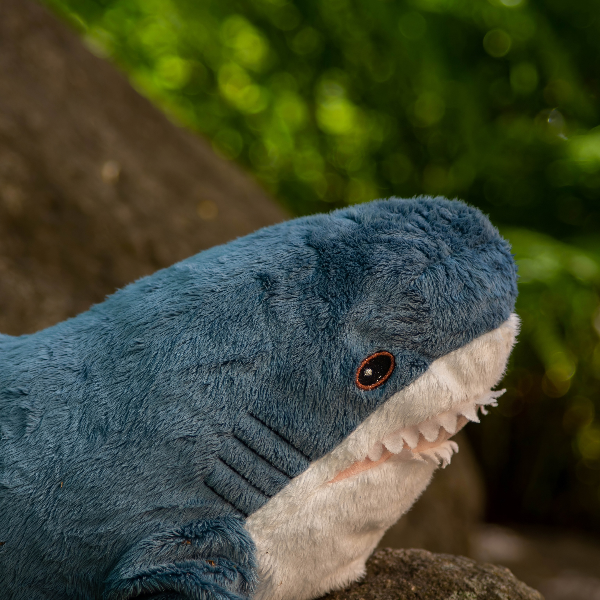
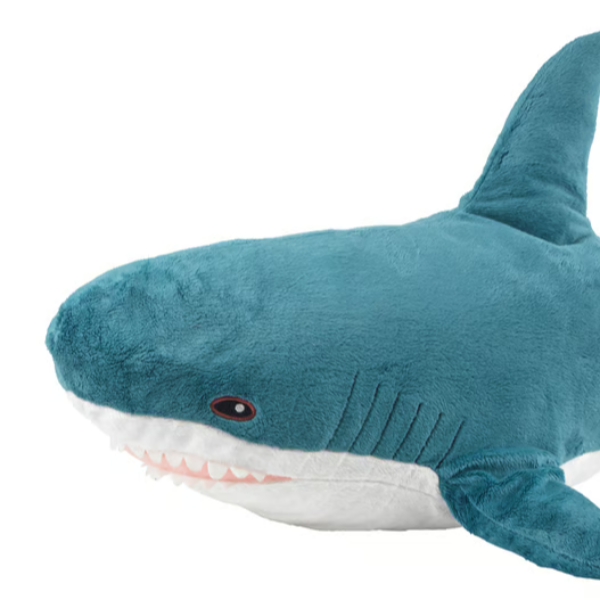
The IKEA shark is the classic example, thousands of people own the exact same plush, so its profile
is shared, and everyone who owns one hits "Own it too" instead of fighting over a single profile.
Claiming
Found an OC or plush profile someone else made for you before you had an account? Look near the top
of its page for a banner saying it hasn't been claimed yet, with a
Claim this OC
button to link it to yourself.
OC Passport
From any plush profile you own, hit the
🛂
icon to print a mini Passport card and cut-out wristband with a QR code linking back
to their profile. Perfect for taking your plush to a con.
Upload Photos & Link Them to Your Plushies
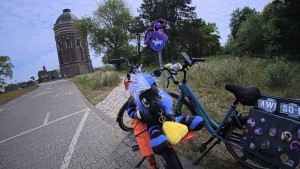
Now the fun part: upload photos of your plushies out on adventures! Every upload can be linked to one
or more plush profiles, so their photo galleries fill up automatically. You can also add a title,
description, and even the location where the photo was taken.
Take a photo
→
Upload it
→
Link your plushie(s)
→
Done!
Forgot to link a plushie? No problem, you can always add (or unlink) plushies from an upload later, right
from the upload's own page. As soon as it's up, you'll get a "share it now" popup to spread the word.
Open that example, it also shows the location on a map (Peterborough, UK) and a real comment
underneath, exactly what your own uploads can look like.
Tags Help Everything Get Found
Tags describe what's in a photo: the character, the maker, the vibe, anything. When you link a plushie to
an upload, its character tag is added automatically. You can add extra tags yourself too, and click any
tag anywhere on the site to browse everything else that shares it.
Albums let you group uploads together. A convention weekend, a photo series, whatever
makes sense to you. Events work similarly but represent real meetups or conventions;
tag an upload with an event and it automatically joins that event's shared album, so everyone who went
can see the whole community's photos in one place.
Live with a partner and share a plushie collection in real life? Link your accounts on the
My Partner
page. Once you're linked, your existing (and future) plushies automatically show up on both of your
profiles, no need to individually mark every single one as shared.
Found a plushie you love? Hit
🤍
favorite. Want to say hi? Click the
🐴 Boop me!
hint that appears when you click the profile picture on a plush's own profile page,
or leave a comment. It's a small, friendly way to let other collectors know their plush made your day
a little brighter.
Whenever someone comments, favorites, boops, or replies to you, you'll get a notification. You can also
turn on Telegram notifications in your settings, if you've linked a Telegram account, so you never miss a thing.
Favorite an OC, Non-OC, or plush and it also joins your personal Timeline, a scrolling
feed of new photos from everything you follow.
Search & Find Plush Makers
Looking for something specific? The search page looks across OCs, plushies, uploads,
albums, events, tags, and users all at once. Curious who made a plush, or want to commission your own?
Check out the Plush Makers directory to browse makers and see who's currently open for
commissions.